
13 KiB
Jieyab ft Xquik
Update Note
- Update infinity scroll and load new data for each search also in graph
- Update data corelation
- Fix business logic flow
- Monitoring (Soon)
- MCP (Soon)
- Add more parameter for enrichment
- Add no rate limit (throttle)
- Add Google CSE data source
- Expand data user profile post, follower and following, reply post, retweet post in graph
- Add sentiment analysis for clustering data, pro, neutral, con. Based on archive data and dump data
- Add more data source and other parameter (soon) still research
- Add more detail data source for the context
- Auto repair broken archive and sentiment analysis data dump
- Update rendering data in sentiment analysis
Features
- Multi-source search — one query fans out to Cookie, Xquik API, Wayback Machine, and Google CSE in parallel, each result tagged with which source it came from.
- 10 extraction tools — tweet search, follower/following explorer, post (timeline) extractor, article extractor, community posts, tweet replies, tweet retweeters, geo-tagged search with a map view, Wayback archive search, and multi-source search.
- Infinite scroll + inline nested reply threads — scroll to load more pages automatically; expand a reply's own replies in place, recursively, the way X's own UI threads a conversation.
- Relationship graph (
/graph) — a Cytoscape-based node graph. Select a node to expand its replies, retweeters, posts, followers, or following; pivot from any tweet straight to its author (no extra request — the data's already on the tweet); box-select multiple nodes and drag them together; edges are labeled by relationship (replied by, followed by, authored by, ...) and a distinct color flags where two different paths through the graph converge on the same account or tweet. - Archive (
/archives) — one-click (or auto-) save of a search's full raw results, including downloaded media, browsable and re-searchable later independent of whether the source is still reachable. - Analytics (
/analytics) — sentiment clustering (pro / neutral / con) over a saved archive, a Maltego-style social network graph, plus who posts most, what's driving the most engagement, and word frequency — see Sentiment Analysis below. - Account-age forensics — every result with a numeric X/Twitter ID gets its account creation date decoded straight from the ID's Snowflake bits (no extra API call), flagged New / Recent / Established.
- Security-conscious by default — strict CSP with per-request nonces, hardened cookies, a whitelisted SSRF-safe video proxy, per-source request throttling to protect the logged-in account from rate limits, and URL-scheme validation everywhere a scraped link is rendered as an image or embedded in CSS.
Data Source
- Xquik API (subs there is a price)
- Cookie (your account cookie session)
- Wayback Machine (Cdx API)
- Goole CSE API (free quota 100 per day u can increase u limit with buy the service)
Setup
1. Create a virtual environment (a private folder for this project's Python packages, kept separate from anything else on your machine — only needs doing once):
python3 -m venv .venv
2. Activate it (do this every time you come back to work on the project):
- macOS / Linux:
source .venv/bin/activate - Windows (Command Prompt):
.venv\Scripts\activate.bat - Windows (PowerShell):
.venv\Scripts\Activate.ps1
Your terminal prompt should now start with (.venv).
3. Install dependencies:
pip install -r requirements.txt
This installs Flask, the scraping/API clients, and the multilingual
sentiment model's packages (torch, transformers) in one go — see
Sentiment Analysis for what that model does. If your
machine has no NVIDIA GPU, torch's default download can be a few GB larger
than it needs to be; keep it small by running this once first, then
installing as above:
pip install --index-url https://download.pytorch.org/whl/cpu torch
Whenever the project's dependencies change (new features, updates), just re-run:
pip install -r requirements.txt --upgrade
4. Configure the Google CSE data source (optional — only needed if you want that source; everything else works without it):
- Enable "Custom Search API" in the Google API Console.
- Get an API key.
Check the result in the table.
- Set up a Programmable Search Engine to get a
cxkey.
- Add the sites to crawl, e.g.
twitter.comandx.com.
5. Copy config.ini.example to config.ini and fill in your keys.
6. Run the app:
python app.py
Open http://127.0.0.1:5000.
The first time you open the Analytics page, it downloads the sentiment model (~1.1GB) from Hugging Face automatically — needs an internet connection once, then it's cached locally and loads instantly after that.
Usage
Search (/)
Pick a tool from the dropdown, fill in the field it asks for (query,
username, tweet ID, ...), and hit Run. Cookie-only tools (marked
[Cookie]) always use your logged-in session; everything else lets you
toggle between Cookie (your session, no xquik quota used) and xquik
API (uses your API key's quota) mode.
- Scroll down to auto-load more pages on any tool that supports pagination.
- Any card whose post has replies of its own gets an Expand N replies button — click it to thread the conversation inline, as deep as it actually goes.
- Toggle Auto Archive before running a search to save results as you go (including every scrolled-in page) — see Archives.
- Geo Post Extractor switches the results view to a map, geocoding each author's profile location.
- The
↓ JSONbutton downloads exactly what's on screen as raw JSON.
Graph (/graph)
Same 10 tools, rendered as a node graph instead of a card list.
- Click a node to inspect its full raw data in the side panel.
- Expand Replies / Retweets (tweet or reply nodes), Expand Posts / Followers / Following (user or retweeter nodes), and View Author Profile (tweet/reply nodes — pulls the author out as their own node, for free) all attach new nodes with a labeled edge showing the relationship.
- Shift/Alt/Ctrl + drag on empty canvas to box-select multiple nodes; drag any one of them to move the whole selection together. Plain drag still pans, scroll still zooms.
- A yellow edge means two different paths through the graph converged on the same node — worth a second look.
- Archive All / Dump JSON export everything currently on canvas.
- Click the ? button (bottom-left) for the full legend.
Archives (/archives)
Browse everything saved from Search or Graph. Pick an archive from the sidebar to see its full raw results and any downloaded media. Archives persist independent of whether the original source is still reachable — useful for content that gets deleted or a session that expires.
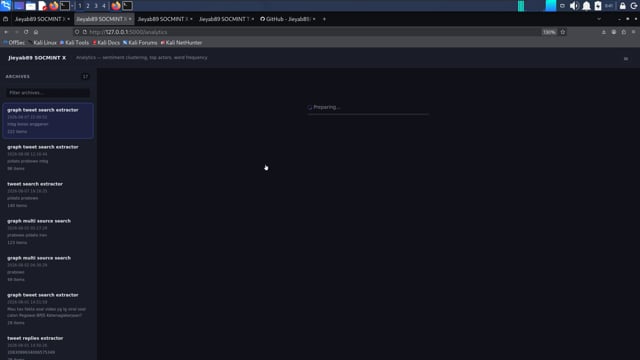
Analytics (/analytics)
Pick a saved archive to run sentiment clustering and the surrounding aggregates over it:
- Sentiment clustering — every item with text gets classified pro / neutral / con, shown as a diverging bar plus per-category tiles you can click to filter the item list below.
- Social network graph — click View as Graph to see accounts as nodes, sized by how many items they posted in this archive and colored by their own pro/neutral/con mix, Maltego-style. Edges show reply relationships found in the archive; click a node to see its per-account sentiment breakdown.
- Most active accounts — who shows up most often in that archive.
- Most engagement — which items drove the most reply+retweet+like activity.
- Word frequency — a word cloud sized by how often each word appears.
- Item browser — every scored item, filterable by sentiment and searchable by text/author, with the model's confidence (or, in lexicon fallback mode, the exact matched words) shown per item — a classification is always inspectable, never a black box.
Sentiment Analysis
Two backends, tried in this order (see sentiment.py):
- ML (preferred) —
cardiffnlp/twitter-xlm-roberta-base-sentiment, an XLM-RoBERTa model fine-tuned for tweet sentiment across 8 languages (Arabic, English, French, German, Hindi, Italian, Portuguese, Spanish). Its underlying pretraining covers roughly 100 languages, so it degrades gracefully rather than failing outright on a language outside that fine-tuned set — this is what makes the tool usable for a global audience, not just Indonesian speakers. Requirestorch+transformers(seerequirements.txt) and downloads ~1.1GB of model weights from Hugging Face the first time it runs. - Lexicon fallback — a hand-built Indonesian positive/negative word
list with negation handling (e.g. "tidak bagus" flips from positive to
negative). Used automatically whenever
torch/transformersaren't installed, so a lightweight install still has a working — if Indonesian-only — sentiment feature instead of a hard failure.
The /api/analytics/<archive_id> response always reports which backend
("ml" or "lexicon") produced its results, and the Analytics page's
banner reflects it. Neither backend is a ground-truth classifier — short
text, sarcasm, and irony degrade accuracy either way. Treat results as a
starting point for investigation, not a verdict.
Results
Xquik Dashboard
Dasboard Home
Archive
Graph
Search in Graph
Vidio
Dir Output
Sentiment Analysis
Follower and Following
Help
About SnowflakeID -> Twitter userid : https://en.wikipedia.org/wiki/Snowflake_ID
About paramater was provided in data and dump with json file type
Xquik API DOC
Offc doc: https://docs.xquik.com/api-reference/overview
Soon i will check more detail about Twitter or X mechanism and business logic also endpoint API was listed in Mobile and Web
Wayback archive data source
The server connection to the Wayback Machine archive is often down, so try bumping the thread and don't set the throttle too high, and try checking the connection manually using curl.