







reNgine
A simple recon Engine
Contribute
·
Report Bug
·
Request Feature
Table of Contents
About reNgine
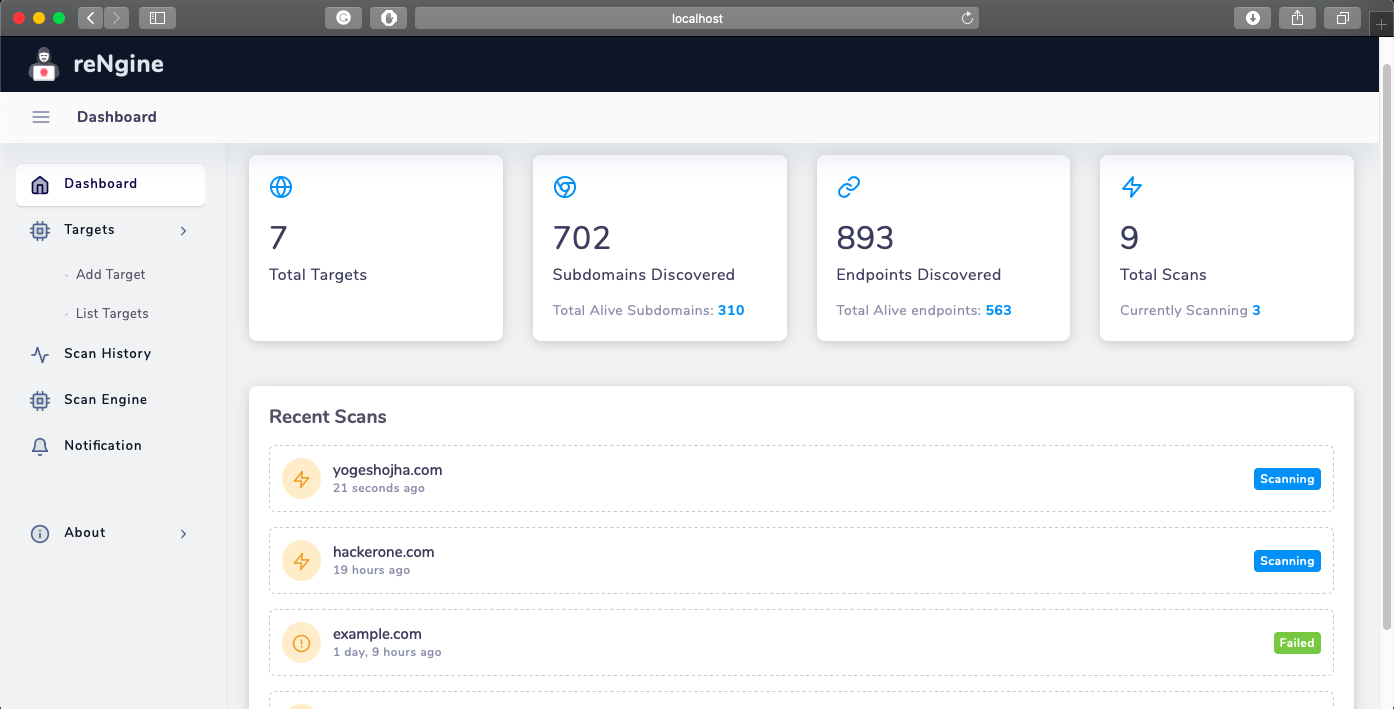
There are many great recon tools out there, however, I didn't find one that suits my needs so I created this reNgine. I wanted a recon engine where I could perform end to end recon and visualize the result quickly.
The results produced by the tools out there were great! however, I was frustrated with not having everything in one place.
Motivation behind starting reNgine
Let's suppose, I am performing recon on redacted.com, and wanted to quickly glance through results like this, I want all subdomains that had 'admin' on the page title, and if there are many of them, sort them by content-length and show me the screenshot.
Honestly, there were not any tools that could automate this entire pipeline. So I started building reNgine.
Screenshots
This is what I built
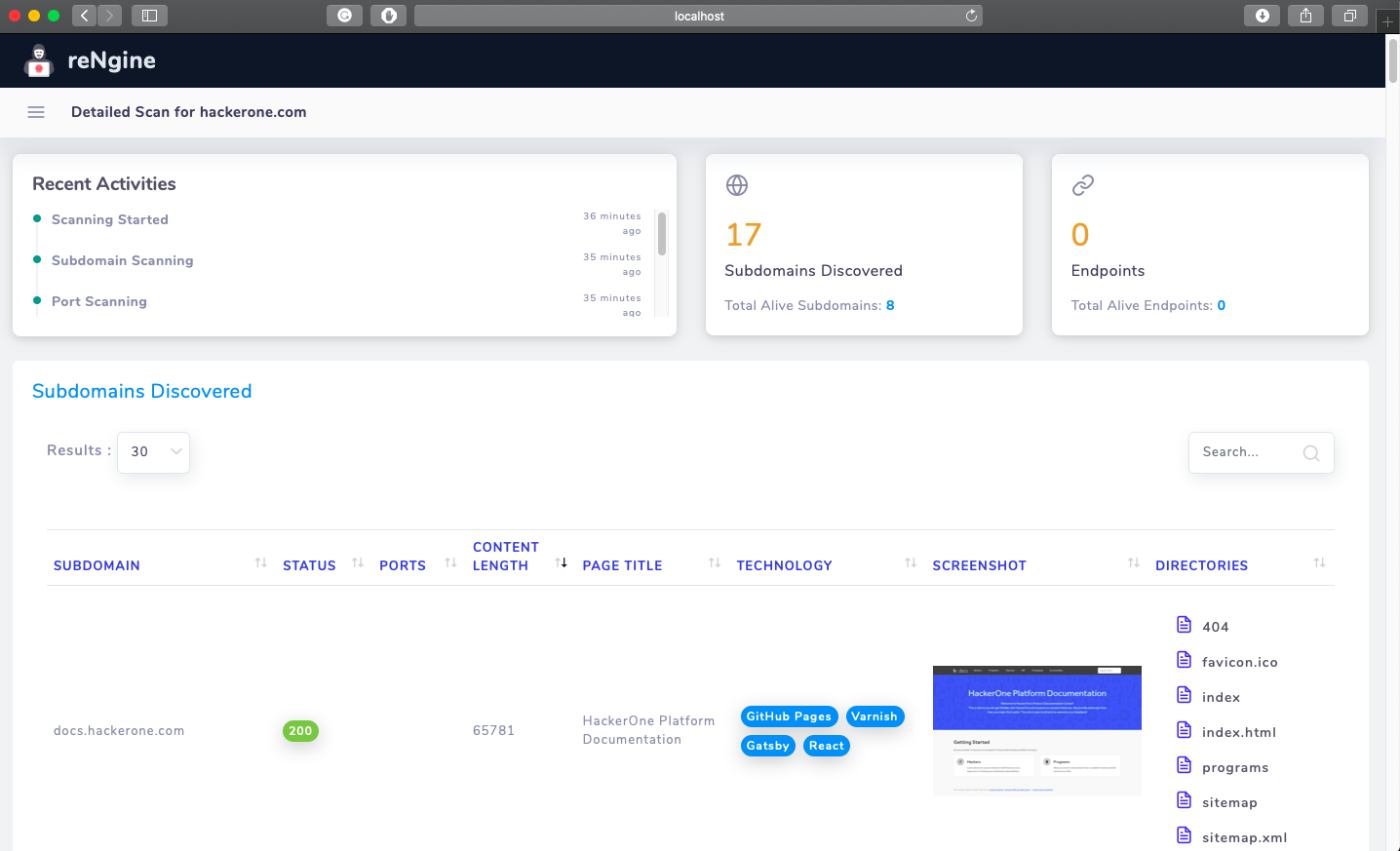
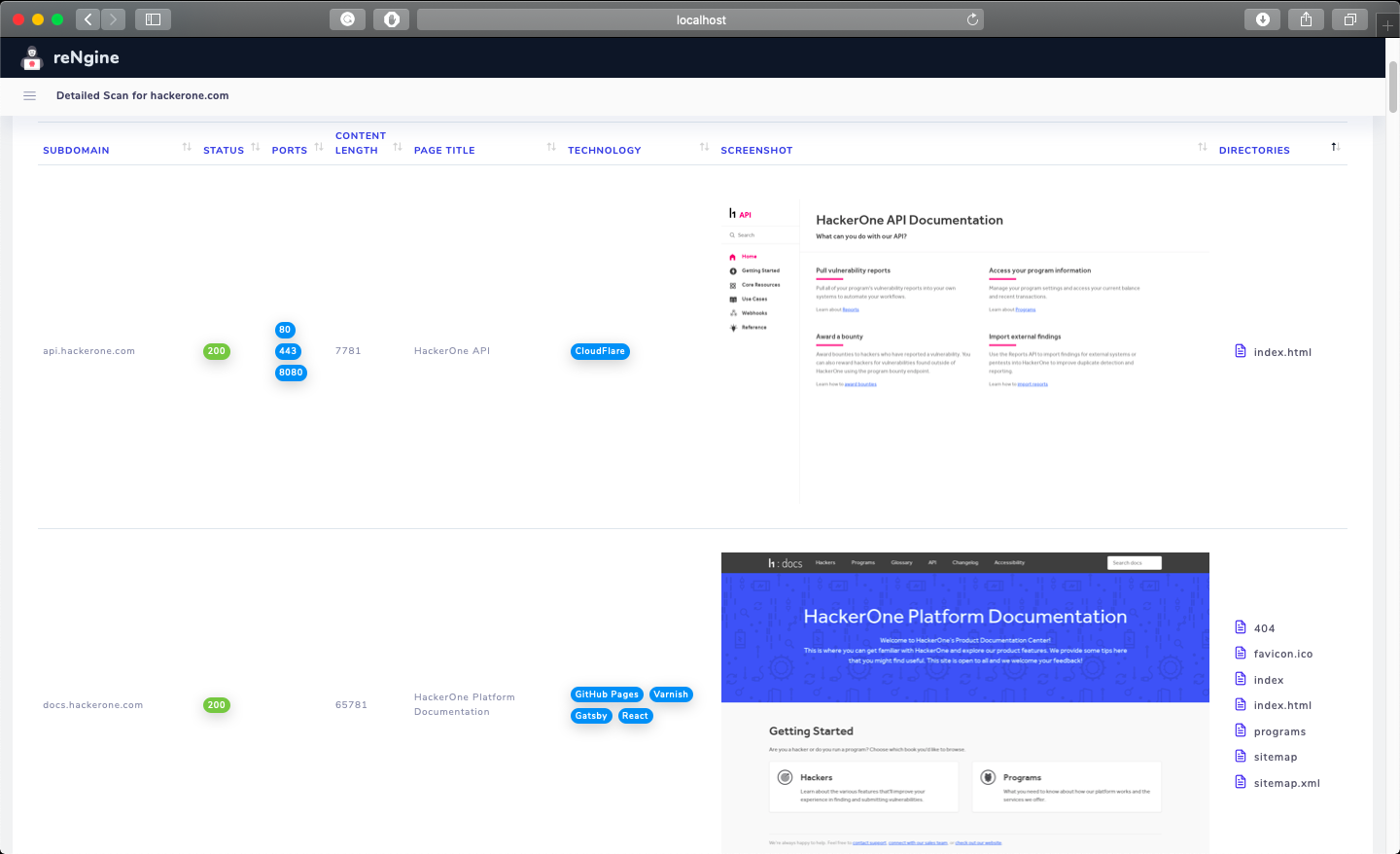
Of course, at this point in time, reNgine does not give the best result compared other tools. reNgine has its shortcomings. But, I am continuously adding new features. You may help me on this journey by creating a PR filled with new features and bug fixes. Please have a look at the Contributing section before doing so.
Built With
This section should list any major frameworks that you built your project using. Leave any add-ons/plugins for the acknowledgments section. Here are a few examples.
Getting Started
To get a local copy up and running follow these simple example steps.
git clone https://github.com/yogeshojha/rengine.git
cd rengine
Prerequisites
- Docker Install docker based on your OS from here
- docker-compose Installation instructions for docker-compose from here
Installation
- Assuming that you have followed the above steps and inside rengine directory
docker-compose up --build -d
Build process may take some time 3. Run the migration
docker exec -it rengine_web_1 python manage.py migrate
Usage
If the installation is successful, then you can simply run the engine by running
docker-compose up -d
Roadmap
Currently, reNgine performs only basic reconnaissance. Please have a look at Project todo list to see the coming awesome features and tweaks.
Contributing
Contributions are what make the open-source community such an amazing place to learn, inspire, and create. Any contributions you make are greatly appreciated. Your contributions could be as simple as fixing the indentations or fixing UI to as complex as bringing new modules and features.
See the contributing guide to get started.
First-time Open Source contributors
Please note that reNgine is beginner-friendly. If you have never done any open-source yet, we encourage you to do so. We will be happy and proud of your first PR ever.
You can begin with resolving any open issues
License
Distributed under the MIT License. See LICENSE for more information.
Acknowledgements
reNgine is just a pipeline of recon. reNgine would not have been possible without the following individuals/organizations.
- Amass: OWASP
- httpx, subfinder, naabu: ProjectDiscovery
- Sublist3r: Ahmed Aboul-Ela
- gau, assetfinder: Tom Hudson
- dirsearch maurosoria