
AI-Suite
AI-Suite extends Cole Medin's Self-hosted AI Package which is built on the n8n-io Self-hosted AI Starter Kit intended to be an end-to-end path from zero to working AI workflows for developers and those who want to enabe a local, private AI solution.
It provides an open, curated, pre-configured Docker Compose configuration file that bootstraps fully featured Local AI Agents and a Low/No Code environment on a self-hosted n8n platform, enabling users to focus on building solutions that employ robust AI workflows.
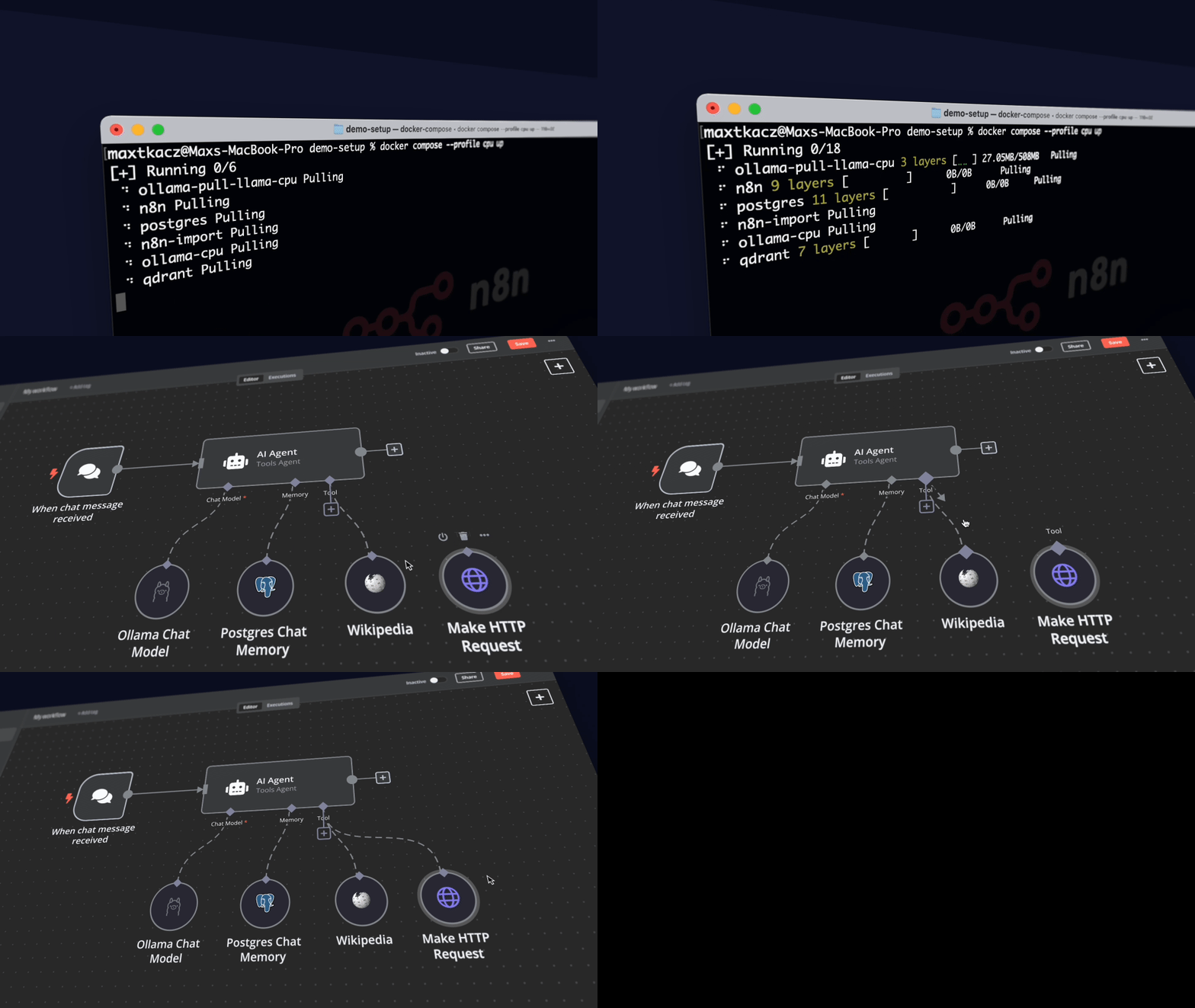
Curated by https://github.com/trevorsandy.
What’s included
✅ Self-hosted n8n - Automation platform with over 400 integrations and advanced AI components.
✅ Open WebUI - ChatGPT-like interface to privately interact with your local models and N8N agents.
✅ OpenCode - open source agent that helps you write code in your terminal.
✅ Ollama - Cross-platform LLM platform to install and run the latest LLMs.
✅ Supabase - Open source database as a service, most widely used database for AI agents.
✅ Flowise - No/low-code AI agent builder that pairs very well with n8n.
✅ Qdrant - Open source, high performance vector store with an comprehensive API.
✅ PostgreSQL - Workhorse of the Data Engineering world, backend for Langfuse.
✅ MCP Gateway - Reverse proxy and management layer for MCP servers.
✅ Neo4j - Knowledge graph engine that powers tools like GraphRAG, LightRAG, and Graphiti.
✅ Redis (Valkey) - High-performance key/value datastore, supports caching and message queues workloads.
✅ SearXNG - Open source internet metasearch engine, aggregates results from up to 229 search services.
✅ Langfuse - Open source LLM engineering platform for agent observability.
✅ MinIO - High-performance, S3-compatible object storage solution.
✅ ClickHouse - Open source, database management system that can generate analytical data reports in real-time.
✅ Caddy - Managed HTTPS/TLS for custom domains.
Prerequisites
Before you begin, make sure you have the following software installed:
-
Python - Required to run the setup script
-
Git/GitHub Desktop - For easy repository management.
-
Docker/Docker Desktop - Required to setup and run all AI-Suite services.
Docker Compose commands
If you are using a machine without the
docker composeapplication available by default, run these commands to install Docker compose:DOCKER_COMPOSE_VERSION=$(curl -s https://api.github.com/repos/docker/compose/ releases/latest | grep 'tag_name' | cut -d\\" -f4) sudo curl -L "https://github.com/docker/compose/releases/download/${DOCKER_COMPOSE_VERSION}/docker-compose-linux-x86_64" -o /usr/local/bin docker-compose sudo chmod +x /usr/local/bin/docker-compose sudo mkdir -p /usr/local/lib/docker/cli-plugins sudo ln -s /usr/local/bin/docker-compose /usr/local/lib/docker/cli-plugins/docker-compose
Installation
-
Clone the repository and navigate to the project directory:
git clone https://github.com/trevorsandy/ai-suite.git cd ai-suite -
Make a copy of
.env.examplerenamed to.envin the project directory.cp .env.example .env # update secrets and passwords inside -
Set the following required environment variables:
Credential environment variables
############
# Generating Credentials
# OpenSSL: Available by default on Linux/Mac via command `openssl rand -hex 32`
#   For Windows, use 'WSL2', 'Git Bash' terminal installed with git or from cmd
#   run the command: python -c "import secrets; print(secrets.token_hex(32))"
#
# Password: Use Python command to generate 16-character strong password:
#   python3 -c "import secrets;import string; alphabet = string.ascii_letters + string.   digits;\
#               password = ''.join(secrets.choice(alphabet) for i in range(16));\
#               print(password)"
#
# JWT Tokens: Use https://jwtsecrets.com/#generator to generate keys and tokens
#   ranging from 8 to 128 characters long.
############

############
# [required]
# n8n credentials - use OpenSSL for both
############

# Master key used to encrypt sensitive credentials that n8n stores
N8N_ENCRYPTION_KEY=change_me_to_a_long_super-secret-key
# Shared secret between n8n containers and runners sidecars
N8N_RUNNERS_AUTH_TOKEN=change_me_to_a_long_super-secret-key
# Specific JWT secret. By default, n8n generates one on start
N8N_USER_MANAGEMENT_JWT_SECRET=change_me_to_a_longer_even-more-secret

############
# [required]
# Supabase Secrets
############

JWT_SECRET=your-super-secret-jwt-token-at-least-40-characters-long
ANON_KEY=your-super-secret-jwt-key-see-https://supabase.com/docs/guides/self-hosting/docker#generate-api-keys
SERVICE_ROLE_KEY=your-super-secret-jwt-key-see-https://supabase.com/docs/guides/self-hosting/docker#generate-api-keys
DASHBOARD_USERNAME=supabase
DASHBOARD_PASSWORD=your-super-secret-password
POOLER_TENANT_ID=your-tenant-id

############
# [required]
# PostgreSQL database user password
############

POSTGRES_PASSWORD=your-super-secret-postgres-password

############
# [required]
# Flowise - authentication configuration
############

FLOWISE_PASSWORD=your-super-secret-flowise-password

############
# [required]
# Neo4j - username and password combination
############

NEO4J_AUTH=neo4j-user/your-super-secret-password

############
# [required]
# Langfuse credentials
############

CLICKHOUSE_PASSWORD=your-super-secret-password-1
MINIO_ROOT_PASSWORD=your-super-secret-password-2
LANGFUSE_SALT=your-super-secret-key-1   # use OpenSSL
NEXTAUTH_SECRET=your-super-secret-key-2 # use OpenSSL
ENCRYPTION_KEY=your-super-secret-key-3  # use OpenSSL

############
# [required for production]
# Caddy Config
############

# N8N_HOSTNAME=n8n.yourdomain.com
# WEBUI_HOSTNAME=openwebui.yourdomain.com
# FLOWISE_HOSTNAME=flowise.yourdomain.com
# SUPABASE_HOSTNAME=supabase.yourdomain.com
# LANGFUSE_HOSTNAME=langfuse.yourdomain.com
# OLLAMA_HOSTNAME=ollama.yourdomain.com
# SEARXNG_HOSTNAME=searxng.yourdomain.com
# NEO4J_HOSTNAME=neo4j.yourdomain.com
# LETSENCRYPT_EMAIL=internal

...
Important
Make sure to generate secure random values for all secrets. Never use the example values in production.
AI-Suite uses the suite_services.py script for the installation command
that handles the AI-Suite functional module selection, Ollama GPU configuration,
and starting Supabase when specified.
Additionally, This script is also used for operation commands that start, stop,
pause and unpause the AI-Suite services using the optional --operation argument.
An Ollama check is performed when it is assumed Ollama is being run from the Docker
Host. If Ollama is determined to be installed but not running, an attempt to launch
the Ollama service is executed on install, start and unpause. The check
will also attempt to stop the Ollama service (in addition to stopping the
AI-Suite services) when the stop-ollama operational command is specified.
Both installation and operation commands utilize the optional --profile
arguments to specify which AI-Suite functional modules and which Ollama CPU/GPU
configuration to use. When no functional profile argument is specified, the
default functional module open-webui is used, Likewise, if no GPU configuration
profile is specified, it is assumed Ollama is being run from the Docker Host.
Multiple profile arguments (functional modules) are supported.
suite_services.py --profile arguments (functional modules):
| Argument | Module |
|---|---|
n8n |
n8n - automation platform |
opencode |
OpenCode - low-code, no-code agent |
open-webui |
Open WebUI - chatbot interface |
open-webui-mcpo |
Open WebUI MCPO - MCP to OpenAPI translator |
open-webui-pipe |
Open WebUI Pipelines - agent tools and functions |
flowise |
Flowise - complementary agent builder |
supabase |
Supabase - alternative database |
searxng |
SearXNG - internet metasearch |
langfuse |
Langfuse - agent observability platform |
neo4j |
Neo4j - knowledge graph |
caddy |
Caddy - managed https/tls server |
n8n-all |
n8n - complete bundle |
open-webui-all |
Open WebUI - complete bundle |
ai-all |
AI-Suite full stack - all modules |
cpu |
Ollama - run on CPU |
gpu-nvidia |
Ollama - run on Nvidia GPU |
gpu-amd |
Ollama - run on AMD GPU |
Example command:
python suite_services.py --profile n8n opencode gpu-nvidia
suite_services.py ... --operation arguments:
| Argument | Operation |
|---|---|
start |
Start - start the previously stopped, specified profile containers |
stop |
Stop - shut down the specified profile containers |
stop-ollama |
Stop Ollama - perform stop plus shut down Ollama on the Host |
pause |
Pause - pause the specified profile containers |
unpause |
Unpause - unpause the previously paused profile containers |
Example command:
python suite_services.py --profile n8n opencode gpu-nvidia --operation stop
If you intend to install Supabase, before running suite_services.py, setup the
Supabase environment variables using their self-hosting guide.
For Docker OLLAMA with Nvidia GPU users
python suite_services.py --profile gpu-nvidia
Note
If you have not used your Nvidia GPU with Docker before, please follow the Ollama Docker instructions.
For Docker OLLAMA with AMD GPU users on Linux
python suite_services.py --profile gpu-amd
For OLLAMA on Mac /Apple Silicon or OLLAMA running in the Host
If you're using a Mac with an M1 or newer processor, you can't expose your GPU to the Docker instance, unfortunately. There are two options in this case:
-
Run ai-suite fully on CPU:
python suite_services.py --profile cpu -
Run Ollama on your Host for faster inference, and connect to that from the n8n instance:
python suite_services.py --profile n8nIf you want to run Ollama on your Mac, check the Ollama homepage for installation instructions.
For users running OLLAMA on the Host
If you're running OLLAMA in your Docker Host (not in Docker), modify the OLLAMA_HOST environment variable in the n8n service configuration and update the x-n8n section in your .env file:
OLLAMA_HOST=host.docker.internal:11434
#OLLAMA_HOST=ollama:11434

# ... other configurations ...

# When running OLLAMA in the Host and Open WebUI in Docker:
OLLAMA_BASE_URL=http://host.docker.internal:11434
#OLLAMA_BASE_URL=http://localhost:11434
... or youe Docker Compose file:
x-n8n: &service-n8n
  # ... other configurations ...
  environment:
    # ... other environment variables ...
    - OLLAMA_HOST=host.docker.internal:11434
For everyone else
python suite_services.py --profile cpu
The environment argument
The suite_services.py script supports a private (default) and public
environment argument:
- private: you are deploying the stack in a safe environment, all AI-Suite ports are accessible
- public: the stack is deployed in a public environment, all AI-Suite ports except 80 and 443 are closed
suite_services.py ... --environment arguments:
| Argument | Scope |
|---|---|
private |
Private network |
public |
Public network |
The AI-Suite stack initialized with...
python suite_services.py --profile gpu-nvidia --environment private
is equal to being initialized with:
python suite_services.py --profile gpu-nvidia
Deploying to the Cloud
Prerequisites for the below steps
- Linux machine (preferably Unbuntu) with Nano, Git, and Docker installed
Extra steps
Before running the above commands to pull the repo and install everything:
Warning
ufw does not shield ports published by Docker, because the iptables rules configured by Docker are analyzed before those configured by ufw. There is a solution to change this behavior, but that is out of scope for this project. Just make sure that all traffic runs through the Caddy service via port 443. Port 80 should only be used to redirect to port 443.
-
Run the commands as root to open up the necessary ports:
ufw enable ufw allow 80 && ufw allow 443 ufw reload -
Run the
suite_services.pyscript with the environment argument public to indicate you are going to run the package in a public environment. The script will make sure that all ports, except for 80 and 443, are closed down, e.g.python3 suite_services.py --profile gpu-nvidia --environment public -
Set up A records for your DNS provider to point your subdomains you'll set up in the .env file for Caddy to the IP address of your cloud instance.
For example, A record to point n8n to [cloud instance IP] for n8n.yourdomain.com
Note
If you are using a cloud machine without the "docker compose" command available by default such as a Ubuntu GPU instance on DigitalOcean, run these commands before running suite_services.py:
Docker Compose setup commands
DOCKER_COMPOSE_VERSION=$(curl -s https://api.github.com/repos/docker/compose/releases/latest | grep 'tag_name' | cut -d\\" -f4)
sudo curl -L "https://github.com/docker/compose/releases/download/${DOCKER_COMPOSE_VERSION}/docker-compose-linux-x86_64" -o /usr/local/bin/docker-compose
sudo chmod +x /usr/local/bin/docker-compose
sudo mkdir -p /usr/local/lib/docker/cli-plugins
sudo ln -s /usr/local/bin/docker-compose /usr/local/lib/docker/cli-plugins/docker-compose
⚡️ Quick start and usage
All components of the self-hosted AI-Suite, except if running Ollama from your
host, is installed through suite_services.py and managed through a Docker Compose
file pre-configured with network and disk so there isn’t much else you need to
install. After completing the installation steps above, follow the steps below
to get started. First, start with n8n.
Use the following settings to confirm or upate n8n Credentials.
-
Local Ollama service: base URL http://ollama:11434/ (n8n config), http://localhost:11434/ (browser)
-
Local QdrantApi database: base URL http://qdrant:6333/ (n8n config), http://localhost:6333/ (browser)
-
Postgres account: use POSTGRES_HOST, POSTGRES_USER, and POSTGRES_PASSWORD from your .env file.
-
Google Drive: This credential is optional. Follow this guide from n8n.
Important
For Supabase, POSTGRES_HOST is 'db' since that is the name of the service running Supabase.
Note
If you are running OLLAMA on your Host, for the credential Local Ollama service, set the base URL to http://host.docker.internal:11434/ and set Local QdrantApi database to http://host.docker.internal:6333/.
Don't use localhost for the redirect URI, instead, use another domain. It will still work! Alternatively, you can set up local file triggers.
-
Open http://localhost:5678/ in your browser to initialize and set up n8n. You’ll only have to set your admin login credentials once. You are NOT creating an account with n8n in the setup here, it is only a local account for your instance!
- Go to http://localhost:5678/home/credentials to configure credentials.
- Click on Local QdrantApi database and set the base URL as specified above.
- Click on Local Ollama service and set the base URL as specified above.
- Click on Create credential, enter Postgres in the search field and follow the subsequent dialogs to setup the Postgres account as specified above.
-
Open the Demo workflow and confirm the credentials for Local Ollama service is properly configured.
-
Select Test workflow to confirm the workflow is properly configured.
If this is the first time you’re running the workflow, you may need to wait until Ollama finishes downloading the specified model. You can inspect the docker console logs to check on the progress. -
Toggle the Demo workflow as active and treat the RAG AI Agent workflows.
Configure additional n8n workflows as desired:
-
Next, configure Open WebUI. Open http://localhost:8080/ in your browser to initialize and set up Open WebUI. You’ll only have to set your admin login credentials once. You are NOT creating an account with Open WebUI in the setup here, it is only a local account for your instance!
-
Go to Workspace → Functions to setup the n8n Pipes (Pipeline) function. This function will enable integration with n8n as an entry in your model dropdown list.
- Click on New Function
- Enter n8n Pipeline at Function Name and Function ID will auto-populate with n8n_Pipeline
- Enter An optimized streaming-enabled pipeline for interacting with n8n workflows in Description
- Copy the n8n_Pipeline function code in details below (or the latest
downloaded to
./open-webui/functions/owndev/pipelines/n8n/n8n.py) and paste it into the edit dialog.
n8n_Pipeline function
Remember! Remove indent for {quoted_content}
<summary>blocks at lines 1057 and 1337 after paste.""" title: n8n Pipeline with StreamingResponse Support author: owndev author_url: https://github.com/owndev/ project_url: https://github.com/owndev/Open-WebUI-Functions funding_url: https://github.com/sponsors/owndev n8n_template: https://github.com/owndev/Open-WebUI-Functions/blob/main/pipelines/n8n/Open_WebUI_Test_Agent_Streaming.json version: 2.2.0 license: Apache License 2.0 description: An optimized streaming-enabled pipeline for interacting with N8N workflows, consistent response handling for both streaming and non-streaming modes, robust error handling, and simplified status management. Supports Server-Sent Events (SSE) streaming and various N8N workflow formats. Now includes configurable AI Agent tool usage display with three verbosity levels (minimal, compact, detailed) and customizable length limits for tool inputs/outputs (non-streaming mode only). features: - Integrates with N8N for seamless streaming communication. - Uses FastAPI StreamingResponse for real-time streaming. - Enables real-time interaction with N8N workflows. - Provides configurable status emissions and chunk streaming. - Cloudflare Access support for secure communication. - Encrypted storage of sensitive API keys. - Fallback support for non-streaming responses. - Compatible with Open WebUI streaming architecture. - Displays N8N AI Agent tool usage with configurable verbosity (non-streaming mode only). - Three display modes: minimal (tool names only), compact (names + preview), detailed (full collapsible sections). - Customizable length limits for tool inputs and outputs. - Shows tool calls, inputs, and results from intermediateSteps in non-streaming mode (N8N limitation - streaming responses do not include intermediateSteps). """ from typing import ( Optional, Callable, Awaitable, Any, Dict, AsyncIterator, Union, Generator, Iterator, ) from fastapi.responses import StreamingResponse from pydantic import BaseModel, Field, GetCoreSchemaHandler from starlette.background import BackgroundTask from cryptography.fernet import Fernet, InvalidToken import aiohttp import os import base64 import hashlib import logging import json import asyncio from open_webui.env import AIOHTTP_CLIENT_TIMEOUT, SRC_LOG_LEVELS from pydantic_core import core_schema import time import re # Simplified encryption implementation with automatic handling class EncryptedStr(str): """A string type that automatically handles encryption/decryption""" @classmethod def _get_encryption_key(cls) -> Optional[bytes]: """ Generate encryption key from WEBUI_SECRET_KEY if available Returns None if no key is configured """ secret = os.getenv("WEBUI_SECRET_KEY") if not secret: return None hashed_key = hashlib.sha256(secret.encode()).digest() return base64.urlsafe_b64encode(hashed_key) @classmethod def encrypt(cls, value: str) -> str: """ Encrypt a string value if a key is available Returns the original value if no key is available """ if not value or value.startswith("encrypted:"): return value key = cls._get_encryption_key() if not key: # No encryption if no key return value f = Fernet(key) encrypted = f.encrypt(value.encode()) return f"encrypted:{encrypted.decode()}" @classmethod def decrypt(cls, value: str) -> str: """ Decrypt an encrypted string value if a key is available Returns the original value if no key is available or decryption fails """ if not value or not value.startswith("encrypted:"): return value key = cls._get_encryption_key() if not key: # No decryption if no key return value[len("encrypted:") :] # Return without prefix try: encrypted_part = value[len("encrypted:") :] f = Fernet(key) decrypted = f.decrypt(encrypted_part.encode()) return decrypted.decode() except (InvalidToken, Exception): return value # Pydantic integration @classmethod def __get_pydantic_core_schema__( cls, _source_type: Any, _handler: GetCoreSchemaHandler ) -> core_schema.CoreSchema: return core_schema.union_schema( [ core_schema.is_instance_schema(cls), core_schema.chain_schema( [ core_schema.str_schema(), core_schema.no_info_plain_validator_function( lambda value: cls(cls.encrypt(value) if value else value) ), ] ), ], serialization=core_schema.plain_serializer_function_ser_schema( lambda instance: str(instance) ), ) # Helper functions for resource cleanup async def cleanup_response( response: Optional[aiohttp.ClientResponse], session: Optional[aiohttp.ClientSession], ) -> None: """ Clean up the response and session objects. Args: response: The ClientResponse object to close session: The ClientSession object to close """ if response: response.close() if session: await session.close() async def stream_processor( content: aiohttp.StreamReader, __event_emitter__=None, response: Optional[aiohttp.ClientResponse] = None, session: Optional[aiohttp.ClientSession] = None, logger: Optional[logging.Logger] = None, ) -> AsyncIterator[str]: """ Process streaming content from n8n and yield chunks for StreamingResponse. Args: content: The streaming content from the response __event_emitter__: Optional event emitter for status updates response: The response object for cleanup session: The session object for cleanup logger: Logger for debugging Yields: String content from the streaming response """ try: if logger: logger.info("Starting stream processing...") buffer = "" # Attempt to read preserve flag later via closure if needed async for chunk_bytes in content: chunk_str = chunk_bytes.decode("utf-8", errors="ignore") if not chunk_str: continue buffer += chunk_str # Process complete lines (retain trailing newline info) while "\n" in buffer: line, buffer = buffer.split("\n", 1) had_newline = True original_line = line # without \n if line.endswith("\r"): line = line[:-1] if logger: logger.debug(f"Raw line received: {repr(line)}") # Preserve blank lines if line == "": yield "\n" continue content_text = "" if line.startswith("data: "): data_part = line[6:] if logger: logger.debug(f"SSE data part: {repr(data_part)}") if data_part == "[DONE]": if logger: logger.debug("Received [DONE] signal") buffer = "" break try: event_data = json.loads(data_part) if logger: logger.debug(f"Parsed SSE JSON: {event_data}") for key in ("content", "text", "output", "data"): val = event_data.get(key) if isinstance(val, str) and val: content_text = val break except json.JSONDecodeError: content_text = data_part if logger: logger.debug( f"Using raw data as content: {repr(content_text)}" ) elif not line.startswith(":"): # Plain text (non-SSE) content_text = original_line if logger: logger.debug(f"Plain text content: {repr(content_text)}") if content_text: if not content_text.endswith("\n"): content_text += "\n" if logger: logger.debug(f"Yielding content: {repr(content_text)}") yield content_text # Send completion status update when streaming is done if __event_emitter__: await __event_emitter__( { "type": "status", "data": { "status": "complete", "description": "N8N streaming completed successfully", "done": True, }, } ) if logger: logger.info("Stream processing completed successfully") except Exception as e: if logger: logger.error(f"Error processing stream: {e}") # Send error status update if __event_emitter__: await __event_emitter__( { "type": "status", "data": { "status": "error", "description": f"N8N streaming error: {str(e)}", "done": True, }, } ) raise finally: # Always attempt to close response and session to avoid resource leaks await cleanup_response(response, session) class Pipe: class Valves(BaseModel): N8N_URL: str = Field( default="https://<your-endpoint>/webhook/<your-webhook>", description="URL for the N8N webhook", ) N8N_BEARER_TOKEN: EncryptedStr = Field( default="", description="Bearer token for authenticating with the N8N webhook", ) INPUT_FIELD: str = Field( default="chatInput", description="Field name for the input message in the N8N payload", ) RESPONSE_FIELD: str = Field( default="output", description="Field name for the response message in the N8N payload", ) SEND_CONVERSATION_HISTORY: bool = Field( default=False, description="Whether to include conversation history when sending requests to N8N", ) TOOL_DISPLAY_VERBOSITY: str = Field( default="detailed", description="Verbosity level for tool usage display: 'minimal' (only tool names), 'compact' (names + short preview), 'detailed' (full info with collapsible sections)", ) TOOL_INPUT_MAX_LENGTH: int = Field( default=500, description="Maximum length for tool input display (0 = unlimited). Longer inputs will be truncated.", ) TOOL_OUTPUT_MAX_LENGTH: int = Field( default=500, description="Maximum length for tool output/observation display (0 = unlimited). Longer outputs will be truncated.", ) CF_ACCESS_CLIENT_ID: EncryptedStr = Field( default="", description="Only if behind Cloudflare: https://developers.cloudflare.com/cloudflare-one/identity/service-tokens/", ) CF_ACCESS_CLIENT_SECRET: EncryptedStr = Field( default="", description="Only if behind Cloudflare: https://developers.cloudflare.com/cloudflare-one/identity/service-tokens/", ) def __init__(self): self.name = "N8N Agent" self.valves = self.Valves() self.log = logging.getLogger("n8n_streaming_pipeline") self.log.setLevel(SRC_LOG_LEVELS.get("OPENAI", logging.INFO)) def _format_tool_calls_section( self, intermediate_steps: list, for_streaming: bool = False ) -> str: """ Creates a formatted tool calls section using collapsible details elements. Args: intermediate_steps: List of intermediate step objects from N8N response for_streaming: If True, format for streaming (with escaping), else for regular response Returns: Formatted tool calls section with HTML details elements """ if not intermediate_steps: return "" verbosity = self.valves.TOOL_DISPLAY_VERBOSITY.lower() input_max_len = self.valves.TOOL_INPUT_MAX_LENGTH output_max_len = self.valves.TOOL_OUTPUT_MAX_LENGTH # Helper function to truncate text def truncate_text(text: str, max_length: int) -> str: if max_length <= 0 or len(text) <= max_length: return text return text[:max_length] + "..." # Minimal mode: just list tool names if verbosity == "minimal": tool_names = [] for i, step in enumerate(intermediate_steps, 1): if isinstance(step, dict): tool_name = step.get("action", {}).get("tool", "Unknown Tool") tool_names.append(f"{i}. {tool_name}") tool_list = "\\n" if for_streaming else "\n" tool_list = tool_list.join(tool_names) if for_streaming: return f"\\n\\n<details>\\n<summary>🛠️ Tool Calls ({len(intermediate_steps)} steps)</summary>\\n\\n{tool_list}\\n\\n</details>\\n" else: return f"\n\n<details>\n<summary>🛠️ Tool Calls ({len(intermediate_steps)} steps)</summary>\n\n{tool_list}\n\n</details>\n" # Compact mode: tool names with short preview if verbosity == "compact": tool_summaries = [] for i, step in enumerate(intermediate_steps, 1): if not isinstance(step, dict): continue action = step.get("action", {}) observation = step.get("observation", "") tool_name = action.get("tool", "Unknown Tool") # Get short preview of output preview = "" if observation: obs_str = str(observation) # If output_max_len is 0 (unlimited), use a reasonable default preview length for compact mode # Otherwise, use the configured limit if output_max_len > 0: preview_len = min(100, output_max_len) else: preview_len = 100 # Default preview length for compact mode when unlimited preview = truncate_text(obs_str, preview_len) summary = f"**{i}. {tool_name}**" if preview: summary += f" → {preview}" tool_summaries.append(summary) summary_text = "\\n" if for_streaming else "\n" summary_text = summary_text.join(tool_summaries) if for_streaming: return f"\\n\\n<details>\\n<summary>🛠️ Tool Calls ({len(intermediate_steps)} steps)</summary>\\n\\n{summary_text}\\n\\n</details>\\n" else: return f"\n\n<details>\n<summary>🛠️ Tool Calls ({len(intermediate_steps)} steps)</summary>\n\n{summary_text}\n\n</details>\n" # Detailed mode: full collapsible sections (default) tool_entries = [] for i, step in enumerate(intermediate_steps, 1): if not isinstance(step, dict): continue action = step.get("action", {}) observation = step.get("observation", "") tool_name = action.get("tool", "Unknown Tool") tool_input = action.get("toolInput", {}) tool_call_id = action.get("toolCallId", "") log_message = action.get("log", "") # Build individual tool call details tool_info = [] tool_info.append(f"🔧 **Tool:** {tool_name}") if tool_call_id: tool_info.append(f"🆔 **Call ID:** `{tool_call_id}`") # Format tool input if tool_input: try: if isinstance(tool_input, dict): input_json = json.dumps(tool_input, indent=2) # Apply max length limit if input_max_len > 0: input_json = truncate_text(input_json, input_max_len) if for_streaming: # Escape for streaming input_json = ( input_json.replace("\\", "\\\\") .replace('"', '\\"') .replace("\n", "\\n") ) tool_info.append( f"📥 **Input:**\\n```json\\n{input_json}\\n```" ) else: tool_info.append( f"📥 **Input:**\n```json\n{input_json}\n```" ) else: input_str = str(tool_input) if input_max_len > 0: input_str = truncate_text(input_str, input_max_len) tool_info.append(f"📥 **Input:** `{input_str}`") except Exception: input_str = str(tool_input) if input_max_len > 0: input_str = truncate_text(input_str, input_max_len) tool_info.append(f"📥 **Input:** `{input_str}`") # Format observation/result if observation: try: # Try to parse as JSON for better formatting if isinstance(observation, str) and ( observation.startswith("[") or observation.startswith("{") ): obs_json = json.loads(observation) obs_formatted = json.dumps(obs_json, indent=2) # Apply max length limit if output_max_len > 0: obs_formatted = truncate_text(obs_formatted, output_max_len) if for_streaming: obs_formatted = ( obs_formatted.replace("\\", "\\\\") .replace('"', '\\"') .replace("\n", "\\n") ) tool_info.append( f"📤 **Result:**\\n```json\\n{obs_formatted}\\n```" ) else: tool_info.append( f"📤 **Result:**\n```json\n{obs_formatted}\n```" ) else: # Plain text observation obs_str = str(observation) # Apply configured limit (0 = unlimited, don't truncate) obs_preview = ( truncate_text(obs_str, output_max_len) if output_max_len > 0 else obs_str ) if for_streaming: obs_preview = ( obs_preview.replace("\\", "\\\\") .replace('"', '\\"') .replace("\n", "\\n") ) tool_info.append(f"📤 **Result:** {obs_preview}") except Exception: obs_str = str(observation) # Apply configured limit (0 = unlimited, don't truncate) obs_preview = ( truncate_text(obs_str, output_max_len) if output_max_len > 0 else obs_str ) tool_info.append(f"📤 **Result:** {obs_preview}") # Add log if available if log_message: log_preview = truncate_text(log_message, 200) tool_info.append(f"📝 **Log:** {log_preview}") # Create collapsible details for individual tool call tool_info_text = "\\n" if for_streaming else "\n" tool_info_text = tool_info_text.join(tool_info) if for_streaming: tool_entry = f"<details>\\n<summary>Step {i}: {tool_name}</summary>\\n\\n{tool_info_text}\\n\\n</details>" else: tool_entry = f"<details>\n<summary>Step {i}: {tool_name}</summary>\n\n{tool_info_text}\n\n</details>" tool_entries.append(tool_entry) # Combine all tool calls into main collapsible section if for_streaming: all_tools = "\\n\\n".join(tool_entries) result = f"\\n\\n<details>\\n<summary>🛠️ Tool Calls ({len(tool_entries)} steps)</summary>\\n\\n{all_tools}\\n\\n</details>\\n" else: all_tools = "\n\n".join(tool_entries) result = f"\n\n<details>\n<summary>🛠️ Tool Calls ({len(tool_entries)} steps)</summary>\n\n{all_tools}\n\n</details>\n" return result async def emit_simple_status( self, __event_emitter__: Callable[[dict], Awaitable[None]], status: str, message: str, done: bool = False, ): """Simplified status emission without intervals""" if __event_emitter__: await __event_emitter__( { "type": "status", "data": { "status": status, "description": message, "done": done, }, } ) def extract_event_info(self, event_emitter): if not event_emitter or not event_emitter.__closure__: return None, None for cell in event_emitter.__closure__: if isinstance(request_info := cell.cell_contents, dict): chat_id = request_info.get("chat_id") message_id = request_info.get("message_id") return chat_id, message_id return None, None def get_headers(self) -> Dict[str, str]: """ Constructs the headers for the API request. Returns: Dictionary containing the required headers for the API request. """ headers = {"Content-Type": "application/json"} # Add bearer token if available bearer_token = EncryptedStr.decrypt(self.valves.N8N_BEARER_TOKEN) if bearer_token: headers["Authorization"] = f"Bearer {bearer_token}" # Add Cloudflare Access headers if available cf_client_id = EncryptedStr.decrypt(self.valves.CF_ACCESS_CLIENT_ID) if cf_client_id: headers["CF-Access-Client-Id"] = cf_client_id cf_client_secret = EncryptedStr.decrypt(self.valves.CF_ACCESS_CLIENT_SECRET) if cf_client_secret: headers["CF-Access-Client-Secret"] = cf_client_secret return headers def parse_n8n_streaming_chunk(self, chunk_text: str) -> Optional[str]: """Parse N8N streaming chunk and extract content, filtering out metadata""" if not chunk_text.strip(): return None try: data = json.loads(chunk_text.strip()) if isinstance(data, dict): # Check if this chunk contains intermediateSteps (will be handled separately) # Note: Don't skip chunks just because they have a type field chunk_type = data.get("type", "") # Skip only true metadata chunks that have no content or intermediateSteps if ( chunk_type in ["begin", "end", "error", "metadata"] and "intermediateSteps" not in data ): self.log.debug(f"Skipping N8N metadata chunk: {chunk_type}") return None # Skip metadata-only chunks (but allow intermediateSteps) if ( "metadata" in data and len(data) <= 2 and "intermediateSteps" not in data ): return None # Extract content from various possible field names content = ( data.get("text") or data.get("content") or data.get("output") or data.get("message") or data.get("delta") or data.get("data") or data.get("response") or data.get("result") ) # Handle OpenAI-style streaming format if not content and "choices" in data: choices = data.get("choices", []) if choices and isinstance(choices[0], dict): delta = choices[0].get("delta", {}) content = delta.get("content", "") if content: self.log.debug( f"Extracted content from JSON: {repr(content[:100])}" ) return str(content) # Return non-metadata objects as strings (be more permissive) if not any( key in data for key in [ "type", "metadata", "nodeId", "nodeName", "timestamp", "id", ] ): # For smaller models, return the entire object if it's simple self.log.debug( f"Returning entire object as content: {repr(str(data)[:100])}" ) return str(data) except json.JSONDecodeError: # Handle plain text content - be more permissive stripped = chunk_text.strip() if stripped and not stripped.startswith("{"): self.log.debug(f"Returning plain text content: {repr(stripped[:100])}") return stripped return None def extract_content_from_mixed_stream(self, raw_text: str) -> str: """Extract content from mixed stream containing both metadata and content""" content_parts = [] # First try to handle concatenated JSON objects if "{" in raw_text and "}" in raw_text: parts = raw_text.split("}{") for i, part in enumerate(parts): # Reconstruct valid JSON if i > 0: part = "{" + part if i < len(parts) - 1: part = part + "}" extracted = self.parse_n8n_streaming_chunk(part) if extracted: content_parts.append(extracted) # If no JSON content found, treat as plain text if not content_parts: # Remove common streaming artifacts but preserve actual content cleaned = raw_text.strip() if ( cleaned and not cleaned.startswith("data:") and not cleaned.startswith(":") ): self.log.debug(f"Using raw text as content: {repr(cleaned[:100])}") return cleaned return "".join(content_parts) def dedupe_system_prompt(self, text: str) -> str: """Remove duplicated content from the system prompt. Strategies: 1. Detect full duplication where the prompt text is repeated twice consecutively. 2. Remove duplicate lines (keeping first occurrence, preserving order & spacing where possible). 3. Preserve blank lines but collapse consecutive duplicate non-blank lines. """ if not text: return text original = text stripped = text.strip() # 1. Full duplication detection (exact repeat of first half == second half) half = len(stripped) // 2 if len(stripped) % 2 == 0: first_half = stripped[:half].strip() second_half = stripped[half:].strip() if first_half and first_half == second_half: text = first_half # 2. Line-level dedupe lines = text.splitlines() seen = set() deduped = [] for line in lines: key = line.strip() # Allow empty lines to pass through (formatting), but avoid repeating identical non-empty lines if key and key in seen: continue if key: seen.add(key) deduped.append(line) deduped_text = "\n".join(deduped).strip() if deduped_text != original.strip(): self.log.debug("System prompt deduplicated") return deduped_text async def pipe( self, body: dict, __user__: Optional[dict] = None, __event_emitter__: Callable[[dict], Awaitable[None]] = None, __event_call__: Callable[[dict], Awaitable[dict]] = None, ) -> Union[str, Generator, Iterator, Dict[str, Any], StreamingResponse]: """ Main method for sending requests to the N8N endpoint. Args: body: The request body containing messages and other parameters __event_emitter__: Optional event emitter function for status updates Returns: Response from N8N API, which could be a string, dictionary or streaming response """ self.log.setLevel(SRC_LOG_LEVELS.get("OPENAI", logging.INFO)) await self.emit_simple_status( __event_emitter__, "in_progress", f"Calling {self.name} ...", False ) session = None n8n_response = "" messages = body.get("messages", []) # Verify a message is available if messages: question = messages[-1]["content"] if "Prompt: " in question: question = question.split("Prompt: ")[-1] try: # Extract chat_id and message_id chat_id, message_id = self.extract_event_info(__event_emitter__) self.log.info(f"Starting N8N workflow request for chat ID: {chat_id}") # Extract system prompt correctly system_prompt = "" if messages and messages[0].get("role") == "system": system_prompt = self.dedupe_system_prompt(messages[0]["content"]) # Optionally include full conversation history (controlled by valve) conversation_history = [] if self.valves.SEND_CONVERSATION_HISTORY: for msg in messages: if msg.get("role") in ["user", "assistant"]: conversation_history.append( {"role": msg["role"], "content": msg["content"]} ) # Prepare payload for N8N workflow (improved version) payload = { "systemPrompt": system_prompt, # Include messages only when enabled in valves for privacy/control "messages": ( conversation_history if self.valves.SEND_CONVERSATION_HISTORY else [] ), "currentMessage": question, # Current user message "user_id": __user__.get("id") if __user__ else None, "user_email": __user__.get("email") if __user__ else None, "user_name": __user__.get("name") if __user__ else None, "user_role": __user__.get("role") if __user__ else None, "chat_id": chat_id, "message_id": message_id, } # Keep backward compatibility payload[self.valves.INPUT_FIELD] = question # Get headers for the request headers = self.get_headers() # Create session with no timeout like in stream-example.py session = aiohttp.ClientSession( trust_env=True, timeout=aiohttp.ClientTimeout(total=AIOHTTP_CLIENT_TIMEOUT), ) self.log.debug(f"Sending request to N8N: {self.valves.N8N_URL}") # Send status update via event emitter if available if __event_emitter__: await __event_emitter__( { "type": "status", "data": { "status": "in_progress", "description": "Sending request to N8N...", "done": False, }, } ) # Make the request request = session.post( self.valves.N8N_URL, json=payload, headers=headers ) response = await request.__aenter__() self.log.debug(f"Response status: {response.status}") self.log.debug(f"Response headers: {dict(response.headers)}") if response.status == 200: # Enhanced streaming detection (n8n controls streaming) content_type = response.headers.get("Content-Type", "").lower() # Check for explicit streaming indicators # Note: Don't rely solely on Transfer-Encoding: chunked as regular JSON can also be chunked is_streaming = ( "text/event-stream" in content_type or "application/x-ndjson" in content_type or ( "application/json" in content_type and response.headers.get("Transfer-Encoding") == "chunked" and "Cache-Control" in response.headers and "no-cache" in response.headers.get("Cache-Control", "").lower() ) ) # Additional check: if content-type is text/html or application/json without streaming headers, it's likely not streaming if "text/html" in content_type: is_streaming = False elif ( "application/json" in content_type and "Cache-Control" not in response.headers ): is_streaming = False if is_streaming: # Enhanced streaming like in stream-example.py self.log.info("Processing streaming response from N8N") n8n_response = "" buffer = "" completed_thoughts: list[str] = [] intermediate_steps = [] # Collect tool calls try: async for chunk in response.content.iter_any(): if not chunk: continue text = chunk.decode(errors="ignore") buffer += text # Handle different streaming formats if "{" in buffer and "}" in buffer: # Process complete JSON objects like in stream-example.py while True: start_idx = buffer.find("{") if start_idx == -1: break # Find matching closing brace brace_count = 0 end_idx = -1 for i in range(start_idx, len(buffer)): if buffer[i] == "{": brace_count += 1 elif buffer[i] == "}": brace_count -= 1 if brace_count == 0: end_idx = i break if end_idx == -1: # Incomplete JSON, wait for more data break # Extract and process the JSON chunk json_chunk = buffer[start_idx : end_idx + 1] buffer = buffer[end_idx + 1 :] # Try to parse the chunk as JSON to extract intermediateSteps # This must happen BEFORE parse_n8n_streaming_chunk filters out metadata # Future-proof: If N8N adds intermediateSteps support in streaming, this will work automatically try: parsed_chunk = json.loads(json_chunk) if isinstance(parsed_chunk, dict): # Extract intermediateSteps if present (future-proof for when N8N supports this) chunk_steps = parsed_chunk.get( "intermediateSteps", [] ) if chunk_steps: intermediate_steps.extend( chunk_steps ) self.log.info( f"✓ Found {len(chunk_steps)} intermediate steps in streaming chunk" ) except json.JSONDecodeError: pass # Continue with content parsing # Parse N8N streaming chunk for content content = self.parse_n8n_streaming_chunk( json_chunk ) if content: # Normalize escaped newlines to actual newlines (like non-streaming) content = content.replace("\\n", "\n") # Just accumulate content without processing think blocks yet n8n_response += content # Emit delta without think block processing if __event_emitter__: await __event_emitter__( { "type": "chat:message:delta", "data": { "role": "assistant", "content": content, }, } ) else: # Handle plain text streaming (for smaller models) # Process line by line for plain text while "\n" in buffer: line, buffer = buffer.split("\n", 1) if line.strip(): # Only process non-empty lines self.log.debug( f"Processing plain text line: {repr(line[:100])}" ) # Normalize content content = line.replace("\\n", "\n") n8n_response += content + "\n" # Emit delta for plain text if __event_emitter__: await __event_emitter__( { "type": "chat:message:delta", "data": { "role": "assistant", "content": content + "\n", }, } ) # Process any remaining content in buffer (CRITICAL FIX) if buffer.strip(): self.log.debug( f"Processing remaining buffer content: {repr(buffer[:100])}" ) # Try to extract from mixed content first remaining_content = ( self.extract_content_from_mixed_stream(buffer) ) # If that doesn't work, use buffer as-is if not remaining_content: remaining_content = buffer.strip() if remaining_content: # Normalize escaped newlines to actual newlines (like non-streaming) remaining_content = remaining_content.replace( "\\n", "\n" ) # Accumulate final buffer content n8n_response += remaining_content # Emit final buffer delta if __event_emitter__: await __event_emitter__( { "type": "chat:message:delta", "data": { "role": "assistant", "content": remaining_content, }, } ) # NOW process all think blocks in the complete response if n8n_response and "<think>" in n8n_response.lower(): # Use regex to find and replace all think blocks at once think_pattern = re.compile( r"<think>\s*(.*?)\s*</think>", re.IGNORECASE | re.DOTALL, ) think_counter = 0 def replace_think_block(match): nonlocal think_counter think_counter += 1 thought_content = match.group(1).strip() if thought_content: completed_thoughts.append(thought_content) # Format each line with > for blockquote while preserving formatting quoted_lines = [] for line in thought_content.split("\n"): quoted_lines.append(f"> {line}") quoted_content = "\n".join(quoted_lines) # Return details block with custom thought formatting return f"""<details> <summary>Thought {think_counter}</summary> {quoted_content} </details>""" return "" # Replace all think blocks with details blocks in the complete response n8n_response = think_pattern.sub( replace_think_block, n8n_response ) # ALWAYS emit final complete message (critical for UI update) if __event_emitter__: # Ensure we have some response to show if not n8n_response.strip(): n8n_response = "(Empty response received from N8N)" self.log.warning( "Empty response received from N8N, using fallback message" ) # Add tool calls section if present if intermediate_steps: tool_calls_section = ( self._format_tool_calls_section( intermediate_steps, for_streaming=False ) ) if tool_calls_section: n8n_response += tool_calls_section self.log.info( f"Added {len(intermediate_steps)} tool calls to response" ) await __event_emitter__( { "type": "chat:message", "data": { "role": "assistant", "content": n8n_response, }, } ) if completed_thoughts: # Clear any thinking status indicator await __event_emitter__( { "type": "status", "data": { "action": "thinking", "done": True, "hidden": True, }, } ) self.log.info( f"Streaming completed successfully. Total response length: {len(n8n_response)}" ) except Exception as e: self.log.error(f"Streaming error: {e}") # In case of streaming errors, try to emit whatever we have if n8n_response: self.log.info( f"Emitting partial response due to error: {len(n8n_response)} chars" ) if __event_emitter__: await __event_emitter__( { "type": "chat:message", "data": { "role": "assistant", "content": n8n_response, }, } ) else: # If no response was accumulated, provide error message error_msg = f"Streaming error occurred: {str(e)}" n8n_response = error_msg if __event_emitter__: await __event_emitter__( { "type": "chat:message", "data": { "role": "assistant", "content": error_msg, }, } ) finally: await cleanup_response(response, session) # Update conversation with response body["messages"].append( {"role": "assistant", "content": n8n_response} ) await self.emit_simple_status( __event_emitter__, "complete", "Streaming complete", True ) return n8n_response else: # Fallback to non-streaming response (robust parsing) self.log.info( "Processing regular response from N8N (non-streaming)" ) async def read_body_safely(): text_body = None json_body = None lowered = content_type.lower() try: # Read as text first (works for all content types) text_body = await response.text() # Try to parse as JSON regardless of content-type # (N8N might return JSON with text/html content-type) try: json_body = json.loads(text_body) self.log.debug( f"Successfully parsed response body as JSON (content-type was: {content_type})" ) except json.JSONDecodeError: # If it starts with [{ or { it might be JSON wrapped in something if text_body.strip().startswith( "[{" ) or text_body.strip().startswith("{"): self.log.warning( f"Response looks like JSON but failed to parse (content-type: {content_type})" ) else: self.log.debug( f"Response is not JSON, will use as plain text (content-type: {content_type})" ) except Exception as e_inner: self.log.error( f"Error reading response body: {e_inner}" ) return json_body, text_body response_json, response_text = await read_body_safely() self.log.debug(f"Parsed JSON body: {response_json}") if response_json is None and response_text: snippet = ( (response_text[:300] + "...") if len(response_text) > 300 else response_text ) self.log.debug(f"Raw text body snippet: {snippet}") # Extract intermediateSteps from non-streaming response intermediate_steps = [] if isinstance(response_json, list): # Handle array response format self.log.debug( f"Response is an array with {len(response_json)} items" ) for item in response_json: if ( isinstance(item, dict) and "intermediateSteps" in item ): steps = item.get("intermediateSteps", []) intermediate_steps.extend(steps) self.log.debug( f"Found {len(steps)} intermediate steps in array item" ) elif isinstance(response_json, dict): # Handle single object response format self.log.debug( f"Response is a dict with keys: {list(response_json.keys())}" ) intermediate_steps = response_json.get( "intermediateSteps", [] ) if intermediate_steps: self.log.debug( f"Found intermediateSteps field with {len(intermediate_steps)} items" ) else: self.log.debug( f"Response is not JSON (type: {type(response_json)}), cannot extract intermediateSteps" ) if intermediate_steps: self.log.info( f"✓ Found {len(intermediate_steps)} intermediate steps in non-streaming response" ) else: self.log.debug( "No intermediate steps found in non-streaming response" ) def extract_message(data) -> str: if data is None: return "" if isinstance(data, dict): # Prefer configured field if self.valves.RESPONSE_FIELD in data and isinstance( data[self.valves.RESPONSE_FIELD], (str, list) ): val = data[self.valves.RESPONSE_FIELD] if isinstance(val, list): return "\n".join(str(v) for v in val if v) return str(val) # Common generic keys fallback for key in ( "content", "text", "output", "answer", "message", ): if key in data and isinstance( data[key], (str, list) ): val = data[key] return ( "\n".join(val) if isinstance(val, list) else str(val) ) # Flatten simple dict of scalars try: flat = [] for k, v in data.items(): if isinstance(v, (str, int, float)): flat.append(f"{k}: {v}") return "\n".join(flat) except Exception: return "" if isinstance(data, list): # Take first meaningful element for item in data: m = extract_message(item) if m: return m return "" if isinstance(data, (str, int, float)): return str(data) return "" n8n_response = extract_message(response_json) if not n8n_response and response_text: # Use raw text fallback (strip trailing whitespace only) n8n_response = response_text.rstrip() if not n8n_response: n8n_response = ( "(Received empty response or unknown format from N8N)" ) # Post-process for <think> blocks (non-streaming mode) try: if n8n_response and "<think>" in n8n_response.lower(): # First, normalize escaped newlines to actual newlines normalized_response = n8n_response.replace("\\n", "\n") # Use case-insensitive patterns to find and replace each think block think_pattern = re.compile( r"<think>\s*(.*?)\s*</think>", re.IGNORECASE | re.DOTALL, ) think_counter = 0 def replace_think_block(match): nonlocal think_counter think_counter += 1 thought_content = match.group(1).strip() # Format each line with > for blockquote while preserving formatting quoted_lines = [] for line in thought_content.split("\n"): quoted_lines.append(f"> {line}") quoted_content = "\n".join(quoted_lines) return f"""<details> <summary>Thought {think_counter}</summary> {quoted_content} </details>""" # Replace each <think>...</think> with its own details block n8n_response = think_pattern.sub( replace_think_block, normalized_response ) except Exception as post_e: self.log.debug( f"Non-streaming thinking parse failed: {post_e}" ) # Add tool calls section if present (non-streaming mode) if intermediate_steps: tool_calls_section = self._format_tool_calls_section( intermediate_steps, for_streaming=False ) if tool_calls_section: n8n_response += tool_calls_section self.log.info( f"Added {len(intermediate_steps)} tool calls to non-streaming response" ) # Cleanup await cleanup_response(response, session) session = None # Append assistant message body["messages"].append( {"role": "assistant", "content": n8n_response} ) await self.emit_simple_status( __event_emitter__, "complete", "Complete", True ) return n8n_response # Return string like streaming branch else: error_text = await response.text() self.log.error( f"N8N error: Status {response.status} - {error_text}" ) await cleanup_response(response, session) # Parse error message for better user experience user_error_msg = f"N8N Error {response.status}" try: error_json = json.loads(error_text) if "message" in error_json: user_error_msg = f"N8N Error: {error_json['message']}" if "hint" in error_json: user_error_msg += f"\n\nHint: {error_json['hint']}" except: # If not JSON, use raw text but truncate if too long if error_text: truncated = ( error_text[:200] + "..." if len(error_text) > 200 else error_text ) user_error_msg = f"N8N Error {response.status}: {truncated}" # Return error as chat message string await self.emit_simple_status( __event_emitter__, "error", user_error_msg, True ) return user_error_msg except Exception as e: error_msg = f"Connection or processing error: {str(e)}" self.log.exception(error_msg) # Clean up session if it exists if session: await session.close() # Return error as chat message string await self.emit_simple_status( __event_emitter__, "error", error_msg, True, ) return error_msg # If no message is available alert user else: error_msg = "No messages found in the request body" self.log.warning(error_msg) await self.emit_simple_status( __event_emitter__, "error", error_msg, True, ) return error_msg -
Copy the webhook URL from the n8n_Pipeline function set in step 6.
-
Click on the gear icon and set the n8n_url to the webhook URL you copied in a previous step.
-
Toggle the function on and now it will be available in your model dropdown in the top left.
To open n8n, visit http://localhost:5678/ from your browser.
To open Open WebUI, visit http://localhost:3000/ from your browser.
To open OpenCode run ./opencode/run_opencode_docker.py from a new terminal.
Additional Configuration
With n8n, you have access to over 400 integrations and a suite of basic and advanced AI nodes such as: AI Agent, Text classifier, and Information Extractor nodes.
To keep everything local, use the Ollama node for your language model and Qdrant as your vector store.
Note
AI-Suite is designed to help you get started with self-hosted AI workflows. While it is not fully optimized for production environments, it combines robust components that work well together for personal porjects. Of course, you can further customize it to meet your specific needs.
n8n
-
MCP Client
-
Configure MCP Client credentials.
- In Nodes panel, search for
MCP. - Select
MCP Client. - Set MCP Endpoint URL:
http://host.docker.internal:8060.
- In Nodes panel, search for
-
-
MCP Client (node)
-
Install community nodes - You may need to restart container.
- Go to Settings → Community nodes
- Use npm Package Name: n8n-nodes-mcp.
- Install node.
-
Configure MCP Client (node) credentials.
- In Nodes panel, search for
MCP. - Select
MCP Client (node). - In the node settings, select Connection Type:
HTTP Streamable. - Create new credentials of type MCP Client (HTTP Streamable) API.
- Set HTTP Streamable URL:
http://host.docker.internal:3001/stream. - Add any required headers for authentication.
- In Nodes panel, search for
-
Open WebUI
-
MCPO
- Your MCP tool is available at http://host.docker.internal:8090.
- Test it live at http://host.docker.internal:8090/docs.
- Using the config file ./open-webui/mcpo/config.json, set additional configuration settings as desired.
- As we are using the config file config.json, each tool will be accessible under its own unique route, e.g. http://host.docker.internal:8090/MCP_DOCKER.
-
Functions
Locally available functions
Pipes:
-
n8n
./open-webui/functions/owndev/pipelines/n8n/ -
Anthropic
./open-webui/functions/open-webui/functions/pipes/anthropic/ -
Open AI
./open-webui/functions/open-webui/functions/pipes/openai/
Filters:
-
Various filters
./open-webui/functions/owndev/filters/ -
Agent hotswap
./open-webui/functions/open-webui/functions/filters/agent_hotswap/ -
Context clip
./open-webui/functions/open-webui/functions/filters/context_clip/ -
Dynamic vision router
./open-webui/functions/open-webui/functions/filters/dynamic_vision_router/ -
Max turns
./open-webui/functions/open-webui/functions/filters/max_turns/ -
Moderation
./open-webui/functions/open-webui/functions/filters/moderation/ -
Summarizer
./open-webui/functions/open-webui/functions/filters/summarizer/
-
Manual Configuration.
- Navigate to the locally available functions folder containing your desired
function
.pyfile. - Copy the complete code from the function file (e.g. main.py)
- Add as a new Function in OpenWebUI → Admin Panel → Functions
- Configure function-specific settings as needed - follow function README for details.
- Enable the Function (also be sure to enable to Agent Swapper Icon in chat)
- Navigate to the locally available functions folder containing your desired
function
-
-
Filesystem (Server Tool)
- Your Filesystem server is available at http://host.docker.internal:8091/docs.
-
Pipelines
-
Connect to Open WebUI.
- Navigate to the Settings → Connections → OpenAI API section in Open WebUI.
- Set the API URL to
http:\\host.docker.internal:9099and the API key to0p3n-w3bu!. Your pipelines should now be active.
-
Manage Configurations.
- In the admin panel, go to Admin Settings → Pipelines tab.
- Select your desired pipeline and modify the valve values directly from WebUI.
-
Open Code
-
run_opencode_docker.py
- Copy
./opencode/run_opencode_docker.pyto or run it from your current work project.
- Copy
-
opencode.jsonc
- Using the config file at ./opencode/opencode.jsonc
- Set additional configuration settings as desired.
-
PROJECT_PATH environment variable
- Set the
PROJECT_PATHenv variable to your working project directory before running OpenCode if you wish to set the work path to your current project but you will NOT launch OpenCode from the root of your working project. If thePROJECT_PATHvar is not defined, the currend working directory from which OpenCode was launched is assumed.
- Set the
-
project_path argument
-
You can also pass a project_path argument to
./opencode/run_opencode_docker.pywith-p,--project_pathso an example command would be:python run_opencode_docker.py --project_path 'opencode'
-
Note
It is recommended that your working project directory be within and relative to the path set for
PROJECTS_PATHin the AI-Suite .env file - see PROJECTS_PATH environment variable described below.Important: The format of the
PROJECT_PATHentry must be the portion of your project path that is relative to the entry specified inPROJECTS_PATH. For example, if the full path to your project is~/projects/ai-suite/opencode, yourPROJECT_PATHentry must beai-suite/opencode, if yourPROJECTS_PATHentry is~/projects.When set,
PROJECT_PATHis appended to the OpenCode container bind mounted path/root/projectsand the resulting path is set as work_dir to form the OpenCode Docker exec command's workdir=work_dir keyword argument.
Upgrading
To update AI-Suite images to their latest versions (n8n, Open WebUI, etc.), run the update operation command argument optionally preceded by the specified profile arguments (functional modules). Alternatively, you can use the quiet-update operation argument to perform an update without the confirmation prompt.
suite_services.py [--profile arguments] --operation argument:
| Argument | Operation |
|---|---|
update |
Update - stop, pull and restart specified container images |
quiet-update |
Quietly Update - perform update without confirmation prompt |
Caution
Named and anonymous data volumes will be deleted. Be sure to backup your data to avoid data loss.
Note
The
suite_services.pyupdate operation argument will stop, pull the image and restart containers for the specified--profilearguments. However, to update the entire suite, simply omit the profile arguments.If no profile arguments are specified, container images for all functional modules plus Docker Ollama will be pulled but only the modules will be started. Docker Ollama will not be started unless it is explicitly specified as profile argument.
Example command:
python suite_services.py --operation update
Manual steps to upgrade the AI-Suite services are as follows:
# Stop services for specified profile arguments
docker compose -p ai-suite -f docker-compose.yml --profile <arguments> down

# Pull latest versions of container images for specified profile arguments
docker compose -p ai-suite -f docker-compose.yml --profile <arguments> pull

# Start services again for specified profile arguments
python suite_services.py --profile <arguments>
Replace profile <arguments> with ai-all to update all container images
or with your desired functional modules, e.g. n8n, opencode etc,
including your CPU/GPU argument [cpu | gpu-nvidia | gpu-amd] if you
are running Ollama in Docker.
See the profile arguments table above for all arguments.
Accessing local files
Some AI-Suite functional modules require access to a project workspace, a shared data folder and/or its configuration file located on the Docker host. These resources are mounted from the host to the module container the using a Docker Compose volume bind mount.
AI-Suite Docker Compose bind mounts
<container>:
   - <host path>:<container path>[:<read/write access>]
n8n creates a shared folder located at /data/shared - use this
path in nodes that interact with the host filesystem. Additional folders
include the n8n-files folder located at /home/node/.n8n-files,
the projects folder located at /home/node/projects and the data
folder located at /data. The host root path is ./n8n/data.
n8n:
   - ./n8n/local-files:/home/node/.n8n-files
   - ./n8n/data:/data
   - ${PROJECTS_PATH:-./n8n/local-files}:/home/node/projects

n8n-import:
   - ./n8n/data:/data
Open WebUI MCPO OpenAPI configuration file.
open-webui-mcpo:
   - ./open-webui/mcpo/config.json:/app/config.json
Open WebUI Filesystem local project files access.
open-webui-filesystem:
   - ${PROJECTS_PATH:-../shared}:/nonexistent/tmp
Open WebUI Pipelines shared files access.
open-webui-pipelines:
   - ./open-webui/piplines:/root/.pipelines
OpenCode configuration file and local project files access.
opencode:
   - ./opencode/opencode.jsonc:/root/.config/opencode/opencode.jsonc
   - ${PROJECTS_PATH:-./opencode}:/root/projects
Flowise shared files access.
flowise:
   - ./flowise:/root/.flowise
SearXNG shared files access.
searxng:
   - ./searxng:/etc/searxng:rw
Caddy configuration file and addond folder access.
caddy:
   - ./caddy/Caddyfile:/etc/caddy/Caddyfile:ro
   - ./caddy/addons:/etc/caddy/addons:ro
PROJECTS_PATH environment variable
You can use the PROJECTS_PATH environment variable to allow n8n,
OpenCode, and Open WebUI Filesystem access to your project files.
During the installation process, if the key is not already present in
your .env file, the key and value are written with the value set
to ~/projects. You can override this behaviour by manually setting your
desired path in the .env file.
PROJECTS_PATH forms a volume bind mount to container paths for the containers
described above - e.g., the OpenCode container path mount is /root/projects.
n8n Nodes that interact with the local filesystem
Troubleshooting
Here are solutions to common issues you might encounter:
Supabase Issues
-
Supabase Pooler Restarting: If the supabase-pooler container keeps restarting itself, follow the instructions in this GitHub issue.
-
Supabase Analytics Startup Failure: If the supabase-analytics container fails to start after changing your Postgres password, delete the folder
supabase/docker/volumes/db/data. -
If using Docker Desktop: Go into the Docker settings and make sure "Expose daemon on tcp://localhost:2375 without TLS" is turned on
-
Supabase Service Unavailable - Make sure you don't have an "@" character in your Postgres password! If the connection to the kong container is working (the container logs say it is receiving requests from n8n) but n8n says it cannot connect, this is generally the problem from what the community has shared. Other characters might not be allowed too, the @ symbol is just the one I know for sure!
-
SearXNG Restarting: If the SearXNG container keeps restarting, run the command "chmod 755 searxng" within the ai-suite folder so SearXNG has the permissions it needs to create the uwsgi.ini file.
-
Files not Found in Supabase Folder - If you get any errors around files missing in the supabase/ folder like .env, docker/docker-compose.yml, etc. This most likely means you had a "bad" pull of the Supabase GitHub repository when you ran the suite_services.py script. Delete the supabase/ folder within the Local AI Package folder entirely and try again.
GPU Support Issues
-
Windows GPU Support: If you're having trouble running Ollama with GPU support on Windows with Docker Desktop:
- Open Docker Desktop settings
- Ensure 'Enable WSL2 backend' is enabled
- See the Docker GPU documentation for more details
-
Linux GPU Support: If you're having trouble running Ollama with GPU support on Linux, follow the Ollama Docker instructions.
🛍️ More AI templates
For more AI workflow ideas, visit the official n8n AI template gallery. From each workflow, select the Use workflow button to automatically import the workflow into your local n8n instance.
👓 Recommended reading
Useful content for deeper understanding AI concepts.
- AI agents for developers: from theory to practice with n8n
- Tutorial: Build an AI workflow in n8n
- Langchain Concepts in n8n
- Demonstration of key differences between agents and chains
📜 License
This project (originally curated by the n8n team, then Cole Medin, links at the top of the README) is licensed under the Apache License 2.0 - see the LICENSE file for details.